What Is MCP? A Complete Beginner's Guide to the Model Context Protocol (With Real Examples)
MCP explained without the hand-waving: what the Model Context Protocol actually is, the architecture nearly every guide gets wrong, real JSON-RPC examples, and whether you even need to build a server.
- Published on
- /1/0/14 मिनट पढ़ें/34 देखा गया/
इस पृष्ठ पर
- The problem mcp exists to solve
- About that usb-c analogy
- The three participants this is the part guides get wrong
- What a server can hand over the three primitives
- 1 tools things the ai can do
- 2 resources things the ai can read
- 3 prompts reusable templates
- The half of mcp nobody blogs about what the client offers the server
- What it actually looks like on the wire
- Step 1 the handshake
- Step 2 quotwhat can you doquot
- Step 3 actually calling it
- Step 4 live updates
- The two transports and which one you39ll use
- Example connecting your first mcp server
- Do you actually need to build a server
- Where mcp will bite you
- Faq
- Is mcp just an api wrapper
- Do i need to build an mcp server to use mcp
- What39s the difference between an mcp host client and server
- Is mcp only for claude
- What protocol does mcp actually use
- Is mcp secure
- The 60-second version
The first time I tried to understand MCP, I read about nine different explanations and came away more confused than when I started.
Every single one said the same thing: "MCP is like USB-C for AI." Then a config snippet. Then nothing. I still couldn't have told you what was actually happening when I connected a server, or why my AI assistant suddenly knew things it didn't know before.
The problem wasn't the analogy. The problem was that nobody explained the mechanics. And a few of them explained the architecture flat-out wrong, which cost me an afternoon of confusion I'd like you to skip.
So here's the guide I wanted. Plain English, real examples, and the actual messages that travel over the wire.
The problem MCP exists to solve#
Forget protocols for a second. Here's the actual pain.
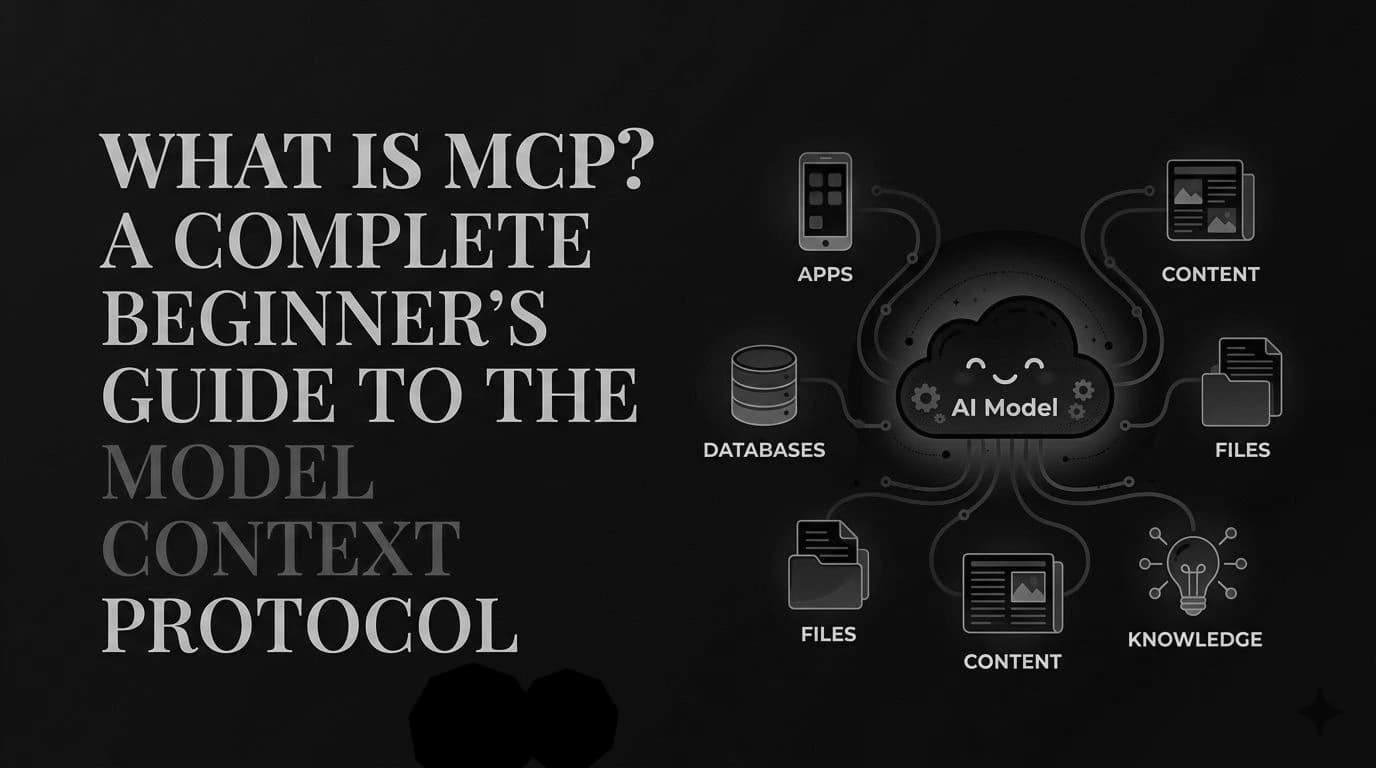
You have an AI assistant. It's smart, but it's sealed in a box. It can't read your files, can't query your database, can't check your calendar, can't touch your GitHub issues. It only knows what you paste into the chat.
So people started building integrations. Claude needed a GitHub integration. Cursor needed a GitHub integration. VS Code needed a GitHub integration. And GitHub was just one — every one of those apps also needed Postgres, Slack, Sentry, Notion.
That's the trap: every AI app × every tool = a custom integration each. Ten apps and ten tools means a hundred bespoke connectors, all doing the same job slightly differently, all breaking separately.
MCP collapses that. Build one MCP server for your tool, and every MCP-compatible AI app can use it. Ten apps + ten tools = twenty pieces instead of a hundred.
That's it. That's the whole idea. Everything else is implementation detail.
About that USB-C analogy#
The official docs really do describe MCP as "a USB-C port for AI applications." It's a fair analogy and I'm not going to pretend otherwise — a standard plug means any device works with any cable.
But it stops being useful the moment you have a real question, because a USB-C port doesn't ask you questions back, and MCP servers can. It's a starting point, not an explanation. Let's do better.
The three participants (this is the part guides get wrong)#
Here's where I lost an afternoon. Most explanations say "the client is your app." That's not right, and once you have the real model, everything else clicks.
There are three roles:
| Role | What it actually is | Example |
|---|---|---|
| MCP Host | The AI application. It coordinates everything. | Claude Code, Claude Desktop, VS Code, Cursor |
| MCP Client | A connector object the host creates — one per server | (invisible; the host manages these) |
| MCP Server | The program that provides context and actions | A GitHub server, a Postgres server, a filesystem server |
The bit that unlocks it: the host creates one client for every server it connects to, and each client keeps a dedicated connection to exactly one server.
So if VS Code connects to a Sentry server and a filesystem server, VS Code (the host) spins up two clients — one per server. They don't share a connection.
        1
2
3
4
5
6
7
        ┌─────────── MCP Host (e.g. Claude Code) ──────────┐
│                                                   │
│   MCP Client 1  ──────dedicated────► Filesystem Server (local)
│   MCP Client 2  ──────dedicated────► Postgres Server (local)
│   MCP Client 3  ──────dedicated────► Sentry Server (remote)
│                                                   │
└───────────────────────────────────────────────────┘
You are almost never writing a client. The host does that for you. When people say "I'm building an MCP integration," they mean a server, 95% of the time.
One more thing worth knowing: "server" says nothing about where it runs. A local filesystem server running on your laptop is still a server. A "server" here means the thing serving context, not a machine in a datacentre.
What a server can hand over: the three primitives#
An MCP server can expose exactly three kinds of thing. Once you know these, you can read any server's docs.
1. Tools — things the AI can do#
Executable functions. Query a database, send a message, create a file, call an API. This is the one everyone means when they say "MCP."
The AI decides when to call these.
2. Resources — things the AI can read#
Data sources that provide context. File contents, a database schema, an API response. Not actions — just information.
3. Prompts — reusable templates#
Pre-written interaction templates. A system prompt, a set of few-shot examples, a structured workflow the server author wants to make available.
The docs give a lovely example that makes all three click at once. Imagine a database server. It exposes:
- a tool to run queries,
- a resource containing the database schema,
- a prompt with few-shot examples of good queries against that schema.
Same server. Three different kinds of help.
The naming convention that saves you confusion: every primitive has a
*/listmethod for discovery. The client callstools/listto find out what exists before calling anything. This is why servers can change their tools at runtime — the list isn't hard-coded, it's asked for.
The half of MCP nobody blogs about: what the client offers the server#
This is my favourite part, and I've never seen it in a beginner guide.
It's not one-directional. Servers can ask the client for things too:
- Sampling (
sampling/createMessage) — the server can ask the host's LLM to generate something. Why does this matter? It means a server author can use a language model without bundling one. No API key in the server, no model SDK, no vendor lock-in. The server borrows the host's brain. - Elicitation (
elicitation/create) — the server can ask the user a question mid-operation. "Which of these three repos did you mean?" "Are you sure you want to delete this?" - Logging — the server can send log messages back to the client for debugging.
That elicitation one is exactly why the USB-C analogy falls apart. A USB-C port never asks you a question. This is a conversation, not a socket.
There's also an experimental primitive called Tasks — durable wrappers for long-running work (expensive computations, batch jobs) so results can be fetched later. It's marked experimental, so don't build your business on it yet.
What it actually looks like on the wire#
Here's the part that finally made MCP concrete for me. Under the hood it's JSON-RPC 2.0 — a boring, well-understood, decades-old way of saying "call this method with these arguments."
Not magic. Just JSON.
Step 1: the handshake#
Every connection opens with an initialize request:
        1
2
3
4
5
6
7
8
9
10
        {
  "jsonrpc": "2.0",
  "id": 1,
  "method": "initialize",
  "params": {
    "protocolVersion": "2025-06-18",
    "capabilities": { "elicitation": {} },
    "clientInfo": { "name": "example-client", "version": "1.0.0" }
  }
}
The server replies with what it can do:
        1
2
3
4
5
6
7
8
9
10
11
12
        {
  "jsonrpc": "2.0",
  "id": 1,
  "result": {
    "protocolVersion": "2025-06-18",
    "capabilities": {
      "tools": { "listChanged": true },
      "resources": {}
    },
    "serverInfo": { "name": "example-server", "version": "1.0.0" }
  }
}
This is capability negotiation, and it's doing real work. The client said "I can handle elicitation." The server said "I have tools, and I'll tell you when they change (listChanged: true), and I have resources." Now both sides know what not to bother asking for.
Then the client sends notifications/initialized and the connection is live.
Step 2: "what can you do?"#
        1
        { "jsonrpc": "2.0", "id": 2, "method": "tools/list" }
The server returns each tool with a name, a description, and an inputSchema (plain JSON Schema):
        1
2
3
4
5
6
7
8
9
10
11
12
13
        {
  "name": "weather_current",
  "title": "Weather Information",
  "description": "Get current weather information for any location worldwide",
  "inputSchema": {
    "type": "object",
    "properties": {
      "location": { "type": "string", "description": "City name, address, or coordinates" },
      "units": { "type": "string", "enum": ["metric", "imperial", "kelvin"], "default": "metric" }
    },
    "required": ["location"]
  }
}
That description is not decoration. It's how the model decides whether to use the tool. A vague description means a tool that never fires.
Step 3: actually calling it#
        1
2
3
4
5
6
7
8
9
        {
  "jsonrpc": "2.0",
  "id": 3,
  "method": "tools/call",
  "params": {
    "name": "weather_current",
    "arguments": { "location": "San Francisco", "units": "imperial" }
  }
}
And back:
        1
2
3
4
5
6
7
8
9
        {
  "jsonrpc": "2.0",
  "id": 3,
  "result": {
    "content": [
      { "type": "text", "text": "Current weather in San Francisco: 68°F, partly cloudy..." }
    ]
  }
}
That's the whole loop. Handshake → discover → call. If you've ever used a REST API, none of this is new to you.
Step 4: live updates#
If a server's tools change, it fires a notification:
        1
        { "jsonrpc": "2.0", "method": "notifications/tools/list_changed" }
No id field — that's JSON-RPC's way of saying "no reply expected." The client just re-runs tools/list. And note it only sends this because it declared listChanged: true back in the handshake. The negotiation had a point.
The two transports (and which one you'll use)#
MCP separates what you say (the data layer, above) from how it travels (the transport layer). Two options:
| Transport | How it works | Use it for |
|---|---|---|
| stdio | Standard input/output between processes on the same machine | Local servers. No network, no latency, no auth needed. |
| Streamable HTTP | HTTP POST, with optional Server-Sent Events for streaming | Remote servers. Supports bearer tokens, API keys, custom headers. |
A useful rule of thumb from the docs: a local stdio server typically serves a single client (your app launched it, it's yours). A remote Streamable HTTP server typically serves many clients at once.
On auth: for remote servers, MCP recommends OAuth rather than pasting a long-lived API key. If you're wiring up a remote server and it wants a raw key in a config file, that's a smell worth noticing.
Example: connecting your first MCP server#
Enough theory. In Claude Code, MCP servers are configured in .claude/mcp.json (project-level) or ~/.claude/mcp.json (user-level, follows you everywhere):
        1
2
3
4
5
6
7
8
9
10
11
        {
  "mcpServers": {
    "postgres": {
      "command": "python",
      "args": ["-m", "mcp_server_postgres"],
      "env": {
        "DATABASE_URL": "postgresql://..."
      }
    }
  }
}
That's a stdio server — command and args tell the host what process to launch. The host starts it, does the handshake, and its tools appear.
Run /mcp to see connection status and what each server is costing you in context.
Two practical details that trip people up:
Tool names get namespaced. A tool from that server shows up as mcp__postgres__query — the pattern is mcp__<server>__<tool>. That prefix is how the host keeps two servers from fighting over the name query.
Schemas are loaded lazily. Tool names load when your session starts, but full JSON schemas are deferred and fetched on demand. This matters: connect eight chatty servers and you'd otherwise burn a chunk of your context window on tool definitions before you type a single word. If you want the old behavior, ENABLE_TOOL_SEARCH=false loads everything upfront.
Do you actually need to build a server?#
Here's the honest advice this whole post has been building toward.
Probably not. And the "build your first MCP server" tutorials skip right past this.
Most people asking "what is MCP" want to use an existing server — GitHub, Postgres, Sentry, filesystem, Notion. They're already built. You add a config block and you're done. That's a five-minute job, not a project.
Build a server when:
- You have an internal system no public server covers (your company's deploy tooling, your proprietary database, your ticketing system).
- You maintain a product and want AI apps to integrate with it — build once, work everywhere is a real payoff for a vendor.
- You need to wrap a workflow, not just an API. If it's genuinely a thin passthrough to a REST endpoint, ask whether the AI can just... call the REST endpoint.
Don't build a server because MCP is exciting. Build one because a specific integration doesn't exist and you keep wishing it did.
Where MCP will bite you#
No tool is free. Honestly:
- Every connected server costs context. Tool names sit in your window from session start. Connect a dozen servers "just in case" and you've quietly taxed every request. Connect what you're actually using.
- Remote servers can drop. Clients generally reconnect, but there's a window where the tool isn't there. Don't put a flaky remote MCP server on a critical path without a fallback.
- A tool is only as good as its description. If the model isn't calling your tool, the bug is almost always a vague
description, not the protocol. Be prescriptive: say when to call it, not just what it does. - It's a permissions surface. You are handing an AI the ability to run functions against real systems. A server with write access to your production database is exactly as dangerous as it sounds. Scope credentials to what the task needs.
- MCP deliberately doesn't solve everything. The spec says it plainly: MCP covers the protocol for context exchange and "does not dictate how AI applications use LLMs or manage the provided context." It's a plug standard, not an agent framework. If you were hoping it would decide when to use a tool, that's the host's job, not MCP's.
FAQ#
Is MCP just an API wrapper?#
Partly, but that undersells it. A REST API tells a programmer how to call it; an MCP server describes itself to a model — tools/list returns machine-readable schemas the AI reads at runtime to decide what's callable. Plus MCP is bidirectional (a server can ask the client's LLM to generate text, or ask the user a question), which no REST API does.
Do I need to build an MCP server to use MCP?#
No. Most people just add an existing server to a config file. Building is for internal systems nobody's covered, or for products that want to be integrable.
What's the difference between an MCP host, client, and server?#
The host is the AI app (Claude Code, VS Code). The server provides the tools and data. The client is a connector the host creates — one per server, each with its own dedicated connection. You write servers; the host handles clients.
Is MCP only for Claude?#
No. Anthropic created it and open-sourced it, and support is broad — Claude, ChatGPT, VS Code, Cursor and others. That's the entire point: build one server, and every MCP-compatible app can use it.
What protocol does MCP actually use?#
JSON-RPC 2.0 over either stdio (local) or Streamable HTTP (remote). Nothing exotic — if you can read JSON, you can read an MCP exchange.
Is MCP secure?#
The protocol supports standard auth (bearer tokens, API keys, custom headers) and recommends OAuth for remote servers. But the real risk isn't the protocol — it's what you grant. An MCP server is code that runs with whatever access you give it. Scope credentials tightly and only connect servers you trust.
The 60-second version#
If you skimmed, here's everything that matters:
- MCP exists so you don't write the same integration once per AI app. Build once, connect everywhere.
- Host = the AI app. Server = what you build. Client = a connector the host makes, one per server. You'll basically never write a client.
- Servers expose tools (do things), resources (read things), prompts (templates).
- Clients offer sampling (server borrows the host's LLM) and elicitation (server asks the user a question) — the half nobody mentions.
- Under it all: JSON-RPC 2.0, over stdio (local) or Streamable HTTP (remote).
- You probably don't need to build one. Go connect an existing server first.
Start by adding one server you'll genuinely use. Watch what happens with /mcp. Once you've seen tools/list fill up with real capability, the rest of this stops being abstract.
Working with AI coding tools day to day? I wrote up the Claude Code prompts that actually survived real work — including the one that wasted an afternoon. And if you're still choosing a tool, here's the 2026 AI coding agent comparison .
More free developer tools: CodeAiKit Tools